
You can manually create a Digital Membership Pass for a Member by visiting their Member profile. To locate a Member profile, click Memberships in your Main Menu, search for the Member in question, then click the view/edit icon.
If this Membership is part of a program associated with an active Digital Pass Configuration, you will see a link to the configuration and templates. The pass will show in the Members list with the Download link and an envelope icon to send the install email.
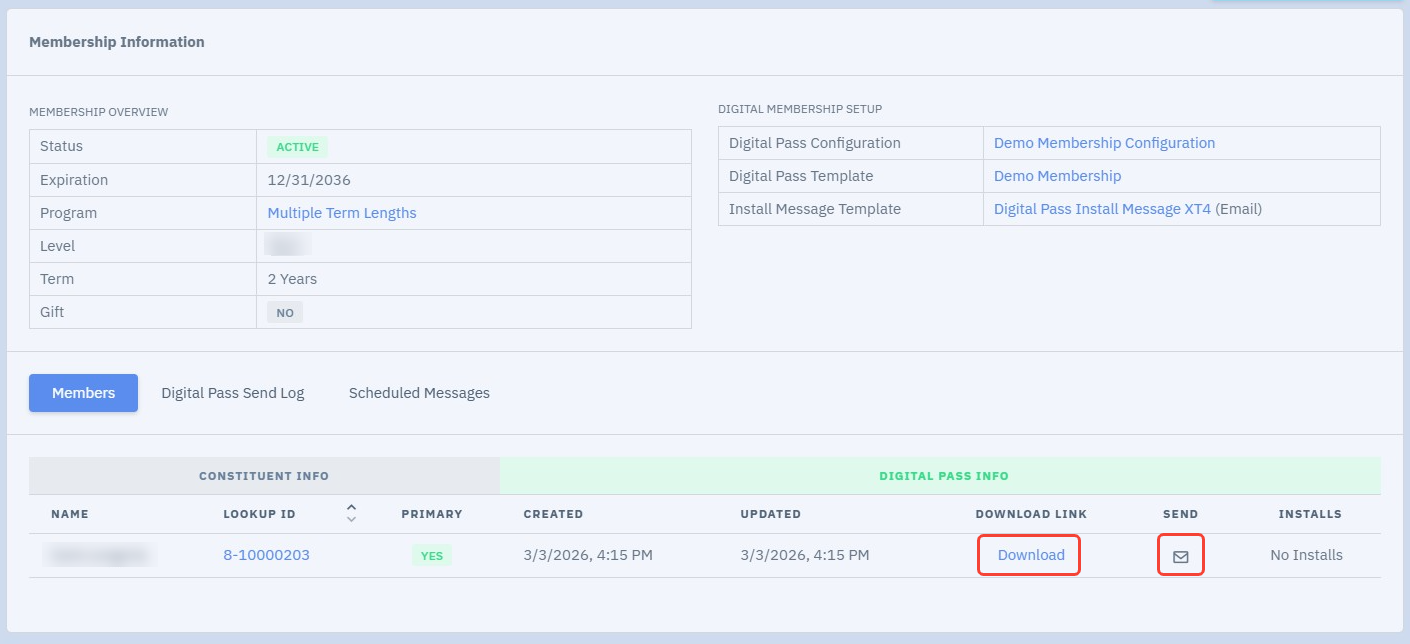
When you click Download, you can grab the download URL. This must be opened on a mobile device. When you click the envelope icon, you can select an email and send date/time. If you choose immediate send, this might take a few minutes to complete. Once completed, you will see the send info on the membership page under the Digital Pass Send Log or Scheduled Messages (if scheduled to send later).