
Version 4.26.0922
Released 9/22/26
Version 4 Only: These updates are available exclusively to clients using Version 4 and do not apply to clients still using Version 3.
New Features
Stored Registration Profiles for Faster Program Registration
Speed up registration for camps and other programs with pre-filled registration information. Programs can now be configured to allow registration autofill, so guests can save their information as a Registration Profile on their portal account and quickly reuse it for future registrations. Guests can also save their information on the fly while completing a registration, making repeat registration faster and easier.
Set Up Registration Profiles
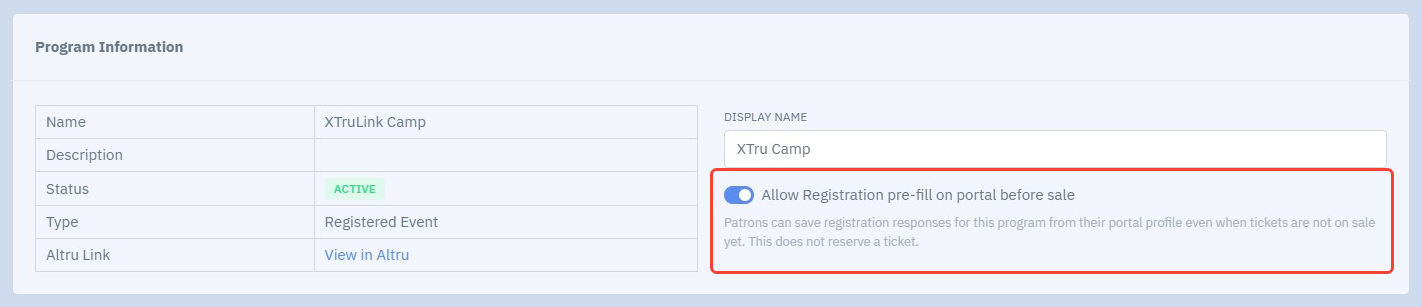
To use this new feature, first enable pre-fill via Ticketing Setup > Programs.
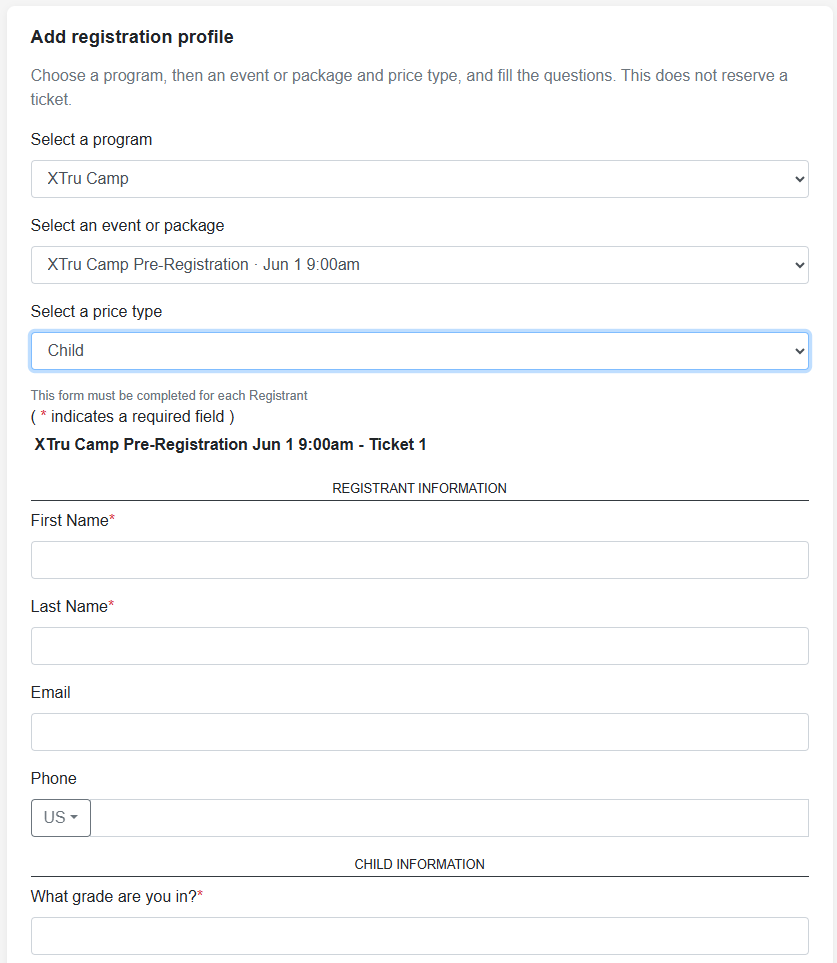
Portal users will see a new Registration Profiles area in their portal user account. To create a new registration profile ahead of time, they can select Add registration profile and pre-fill requested information. The program's associated registration questions will appear here.
If they pre-fill, the registration profile will be available for use during the Complete Registration process before checkout:
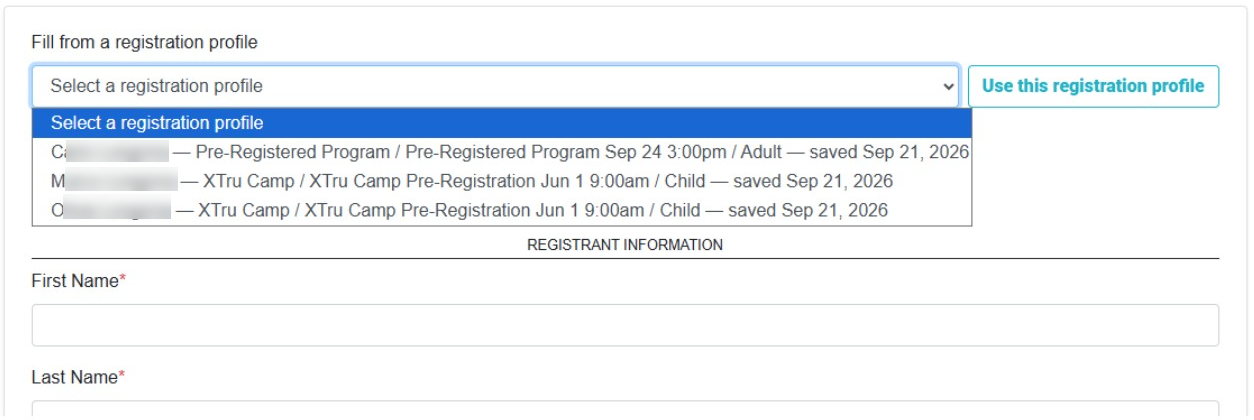
They may also choose to fill all information out at time of purchase and save the registrant profile for future use:

Reinstated Scheduled Program Use for Member Entry
Member Entry Profiles can now use scheduled programs in addition to daily admission programs. Scheduled program date and time information will not sync to Altru, but scheduled programs can still be used for Member Entry. Note: This functionality was previously available in Version 3, and had been deprecated in Version 4.
Improvements & Bug Fixes
- Updated digital membership message logs to clearly indicate when an email could not be sent because the constituent is missing an email address.
- Added validation for registrant contact information, including email addresses and phone numbers, to help prevent invalid information from being submitted.
- Added ICS feeds for web calendars, available from the Embed tab in Calendar Setup. This allows calendars to be subscribed to through supported calendar applications.
- Fixed an issue causing an incorrect error message to display when an invalid email address was entered in kiosk contact fields.
- Expanded back office user profile management to allow authorized users to update passwords, email addresses, phone numbers, and user roles.
- Fixed an issue that could cause $0 kiosk orders to be finalized twice.
- Fixed an issue that could prevent recurring gift history from updating correctly in the portal user profile.
- Fixed an issue that could prevent required sales order notes for donations from being collected correctly.
Version 4.26.0908
Released 9/8/26
Version 4 Only: These updates are available exclusively to clients using Version 4 and do not apply to clients still using Version 3.
New Features
Update Patron on Order
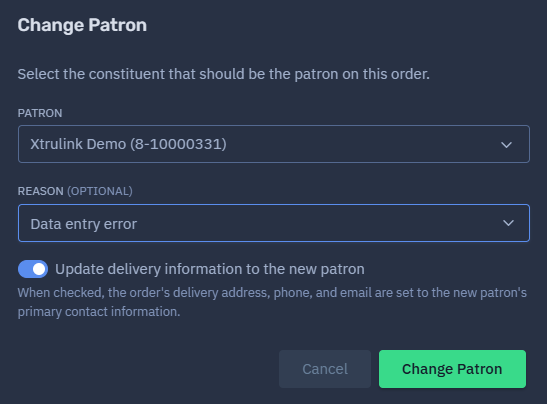
Patron information can now be updated directly on an order in XTru. When the patron is changed, the update will also sync back to Altru, making it easier to keep patron information consistent across both systems.
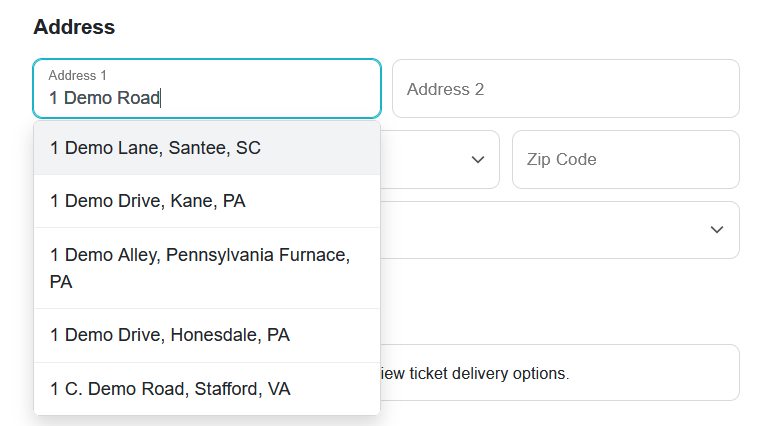
Address Validation on Web Portal
Entering an address is now easier and more accurate! Address autocomplete and validation are available during portal checkout and when updating an address in a portal user profile. As users type, XTru will suggest matching addresses and help ensure the information entered is correct.
Improvements & Bug Fixes
- Added ability to map to tags using the MailChimp Extension.
- Fixed bug swapping display of Capacity and Start Time columns on Ticketing Setup program event pages.
- Updated Ticket Setup program events to default to Table View.
- Fixed sort on Constituent page to display most recent orders first.
- Updated checkout button for $0 orders to read "Complete My Purchase" instead of "Proceed to Payment".
- Fixed bug misidentifying Membership Type active status.
- Added ability to customize the order of Unnamed Member Price Types in Member Entry Profile setup.
- Fixed bug causing multiple rapid scans on kiosk when scanning membership cards.