Usage
Single-Use discount codes can be created and utilized for both Ticketing and Membership Promotions.
View Synced Discounts
You can view your available Ticketing discounts from Main Menu > Ticketing Setup > Discounts. Membership promotions can be viewed from Main Menu > Membership Setup > Promotions. Discounts are synced from the Altru system every 4 hours and will appear on these lists. The various columns in our Discount List indicate the discount configuration in Altru and are not editable in XTruLink.
Create Single-Use Promo Codes
Within XTruLink only, you have the ability to generate single-use promo codes. These are codes that can be used by only one constituent and are redeemable the same way as multi-use promo codes created through Altru. They may be attached to any discounts/promotions you have configured in Altru where Selected for use is set as Manual.
To generate single-use promo codes, click the Edit icon next to any applicable discount/promotion on your Discount List. In the Promo Codes tab on the right-hand side, click Generate Single Use Codes.
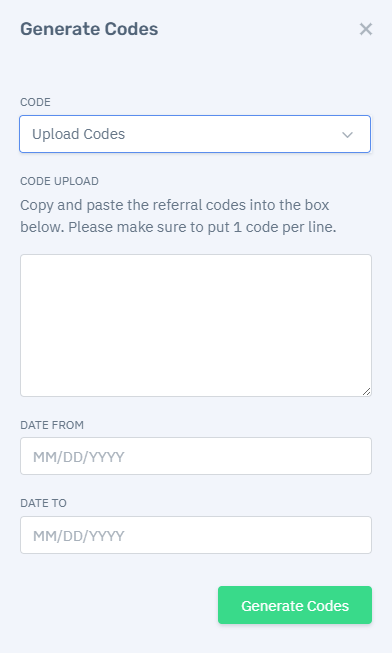
From the Generate Codes editor window, you may select either Randomly Generate or Upload Codes. When you randomly generate codes, you have the option to select the number of single-use codes to create and date range that they will be effective. When you Upload Codes, you must paste your list of codes in (with one promo code per line). You may then enter the date range that they will be effective. Click Generate Codes to complete setup.
View, Export or Disable Single-Use Promo Codes
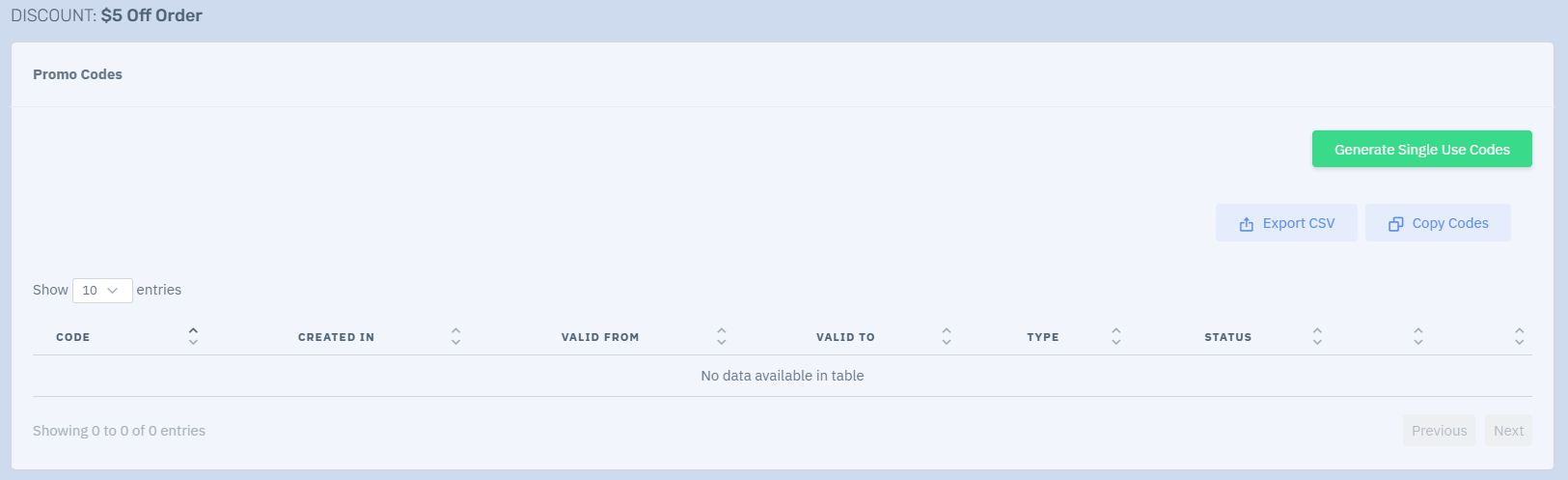
After generating promo codes, you can view your list of codes under Promo Codes. Any promo codes configured within Altru will also show on this list (these will be labeled as Multi-Use).
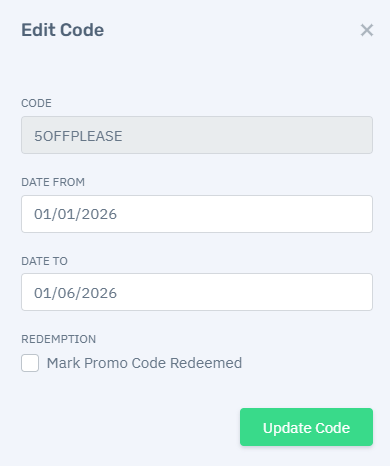
You may click the Edit icon next to any single-use code to edit the dates valid or mark the code as redeemed.